 pohunek
Live state and attention
Every row shows the agent, its state (working, idle, needs owner, ended) and its Work link. Sessions that need you sit in a Needs you section at the top. An idle session counts as idle only after a configurable threshold.
A small native app (Rust and Slint) for the owner of a daemon. It owns no session state: the daemon runs the sessions and the companion shows them and starts new ones.

Captured from an isolated daemon filled with synthetic sessions, not from real work.
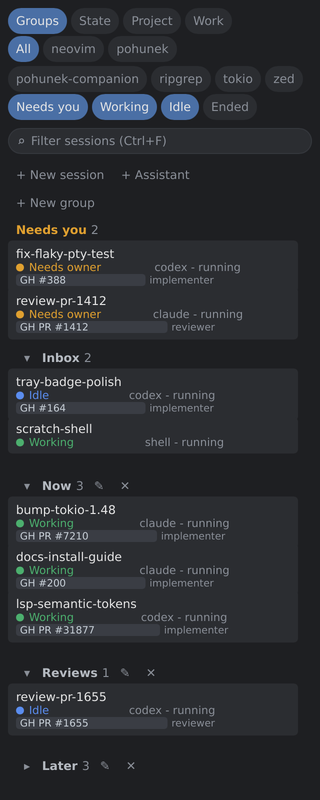
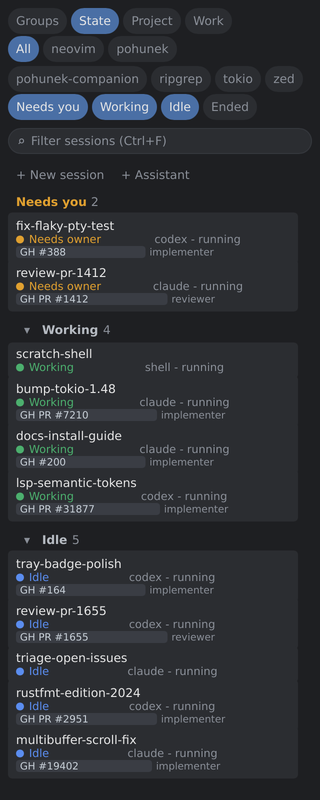
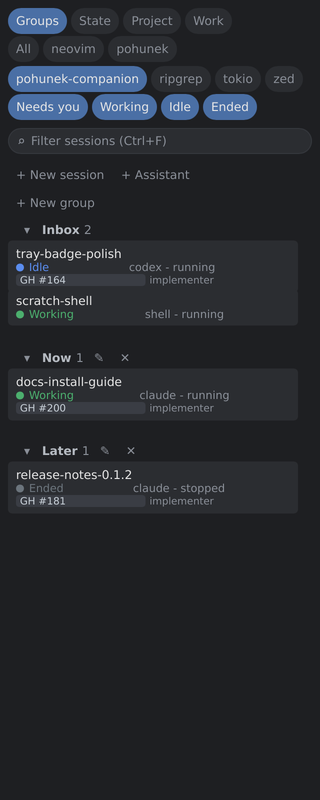
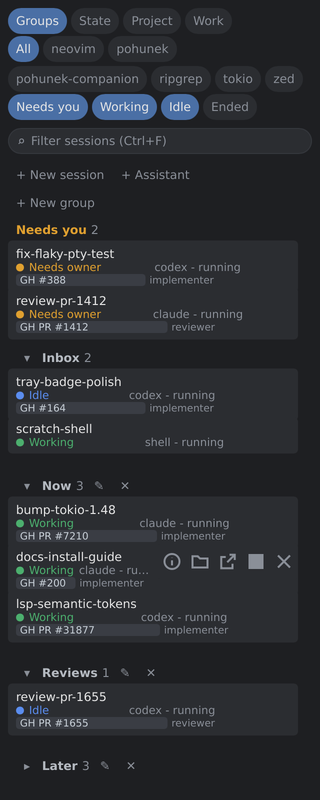
Every row shows the agent, its state (working, idle, needs owner, ended) and its Work link. Sessions that need you sit in a Needs you section at the top. An idle session counts as idle only after a configurable threshold.
The tray icon carries a badge with the number of sessions that need you, colored by the most urgent state. Its menu attaches to them directly. A Linux tray needs a StatusNotifierItem host.
Drag rows and group headers into your own groups. Groups can be renamed, collapsed and deleted. The layout is stored per user, never in the daemon.
Chips narrow the list by project and by state. A text filter (Ctrl+F, or Cmd+F on macOS) searches names. Ended sessions stay hidden until their chip is on.
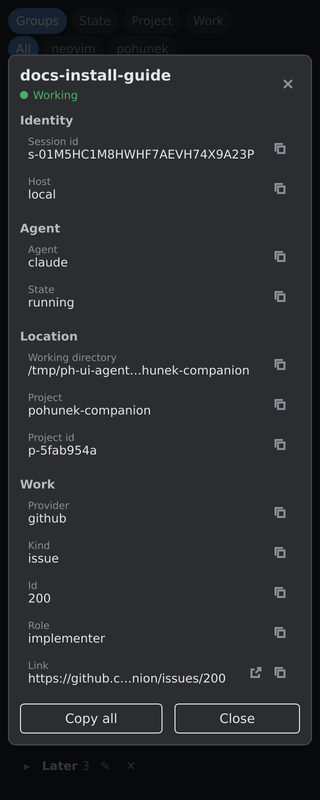
The details view lists the session id, host, agent, state, working directory, project and Work metadata, each with a copy button. An ended session that the daemon can resume gets a Resume action.
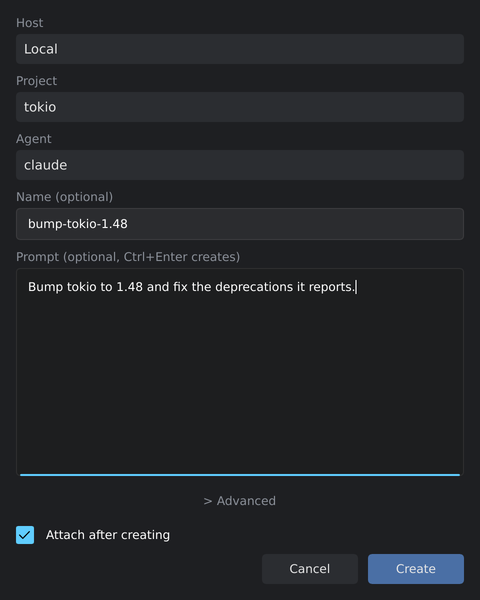
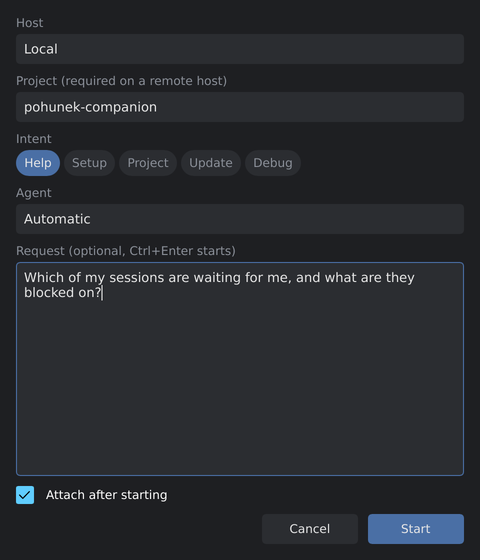
Both dialogs are separate processes, so they can also be bound to a desktop keybinding with pohunek-companion new-session or assistant.
The companion can follow daemons on other machines over the NetBird overlay. A host that drops off keeps its last rows dimmed and marked unreachable.
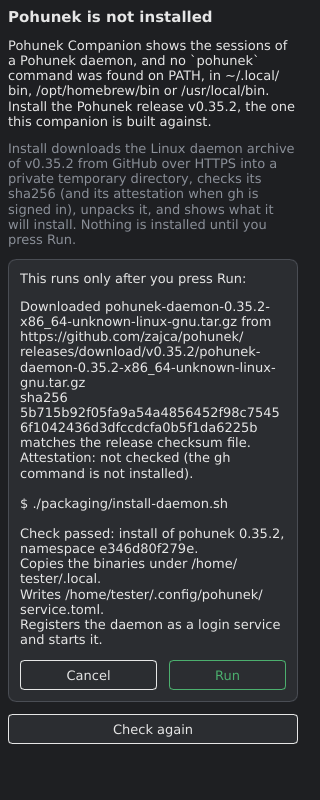
Without a daemon the window shows a setup screen. On Linux x86_64 its Install button downloads the matching Pohunek release from GitHub, checks the sha256 and attestation when gh is signed in, shows what the installer will write, and runs it only after you confirm.
v=0.1.4
a=pohunek-companion-$v-x86_64-unknown-linux-gnu.tar.gz
gh release download v$v -R pohunekd/pohunek-companion -p "$a*"
sha256sum -c $a.sha256
gh attestation verify $a --repo pohunekd/pohunek-companion
tar -xzf $a && ./pohunek-companion-$v-x86_64-unknown-linux-gnu/pohunek-companion desktop install
brew install zajca/pohunek/pohunek-companion
Every surface is a client of the same public CLI and protocol. See the other surfaces or the docs. Project home: https://github.com/zajca/pohunek.